
Also applies to all other Official Line Accounts

Super Junior
Other fans of the KPOP band Super Junior have been asking how to locate their Official Line link, since most of the sites tell you it’s up but not how to locate it. So here you go! Enjoy!
You can also find directions on locating JYJ’s line Here
P.S. Line is a kind of messenger system, like Skype only it’s not based out of the U.S. It’s kind of a weird cross between Twitter, Tumblr, and Skype really, you’ll find pictures, chat message, phone services,and you can join in on live chats as well.
GO HERE FOR DIRECTIONS ON DOWNLOADING LINE INITIALLY (WITH PICTURES 🙂
Once you download it onto your smartphone/I-Pod/I-Phone, the app will look like this:

HOW TO FIND SUPER JUNIOR’S OFFICIAL LINE
WARNING: YOU CANNOT ADD THEM VIA A COMPUTER VERSION OF LINE, YOU HAVE TO DO IT ON YOUR MOBILE DEVICE/I-POD/I-PAD.
- On your Mobile/Ipod, sign in to the Line app (see pic above to see what the Line App looks like. It’s a big green button that says “Line”). Your page will look like this (if it’s new you won’t have any friends yet):
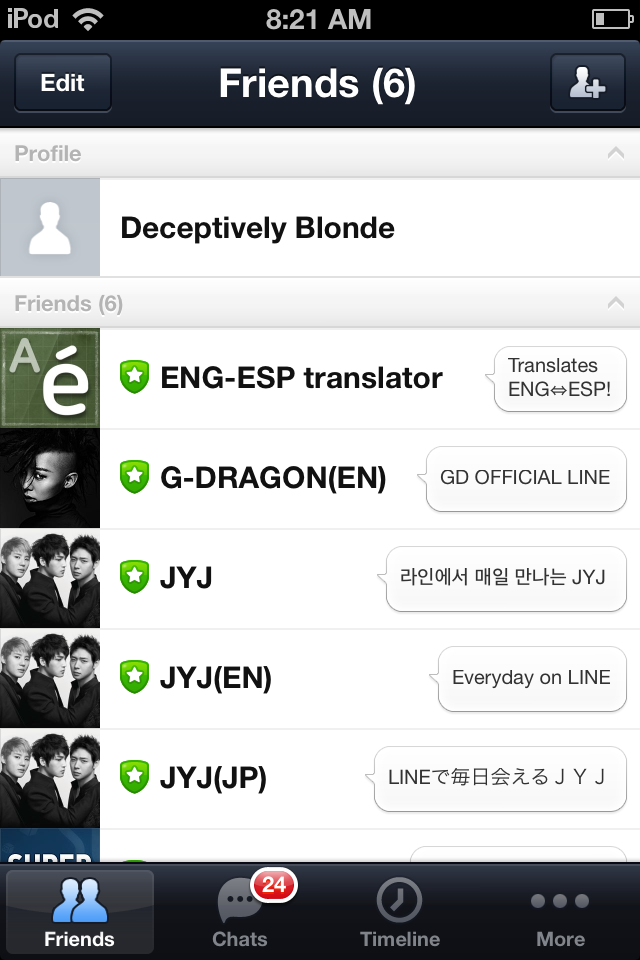
Main Page for Line
- On the bottom Menu, go to “More” (with the three dots above it):
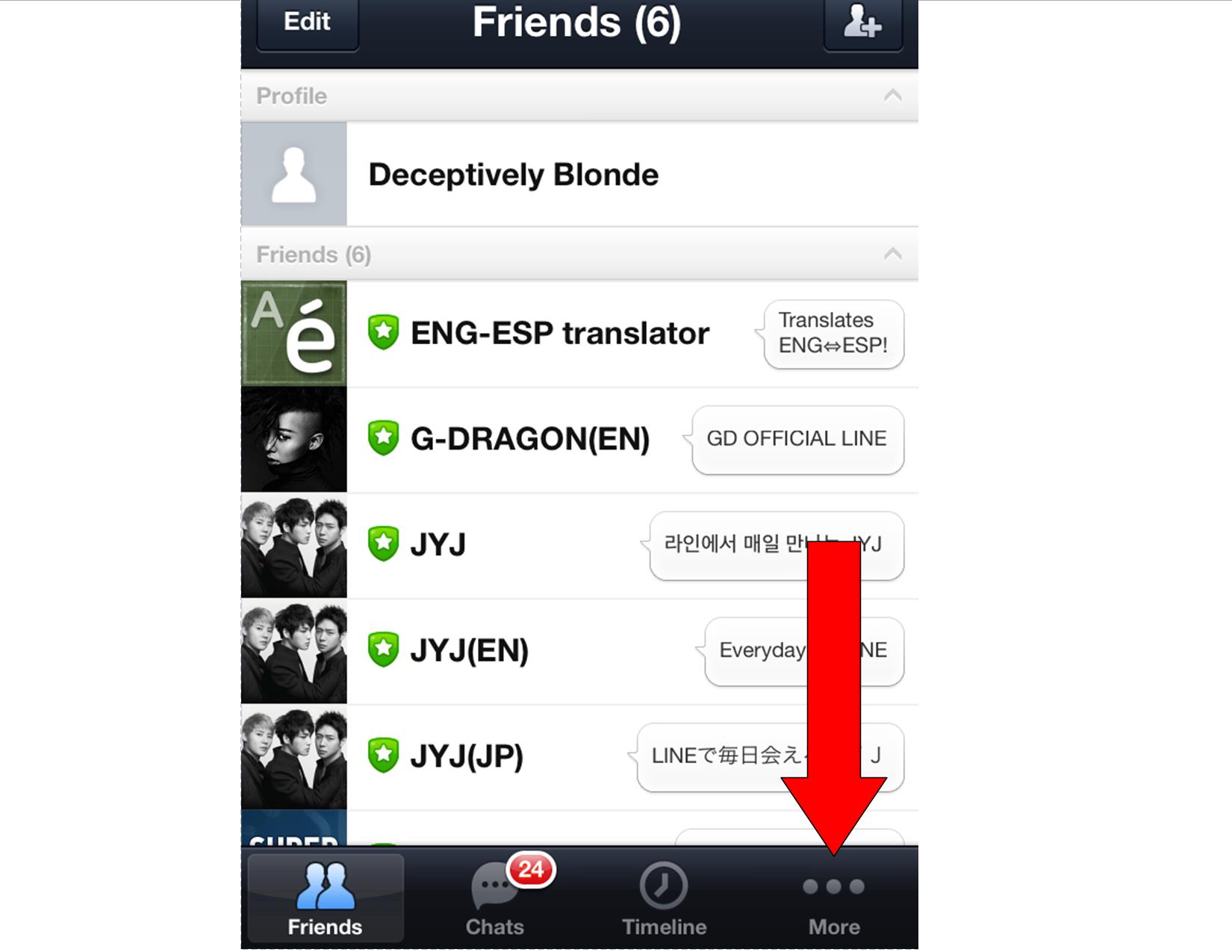
- Click “Official Accounts”:

Note it has a shield with a star in it.
Note that Official Accounts are separated by country. Different countries will have different language versions of the apps and some have more apps than others. Usually though each version has the same message, just the language alters. So, now your page will look something like this (The United States’ Version) with a list of all official accounts posted to your country:
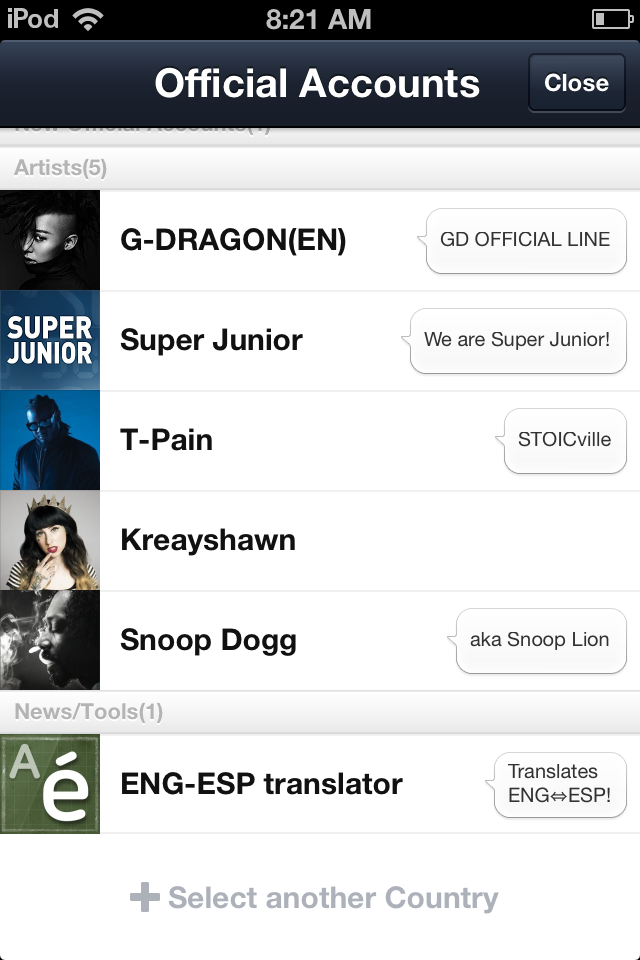
These are all the official accounts for your geographic region.
- If you’re default is one country and you want a different language version, scroll to the bottom and go to “+Select Another Country”:

- You will now have a list of countries:
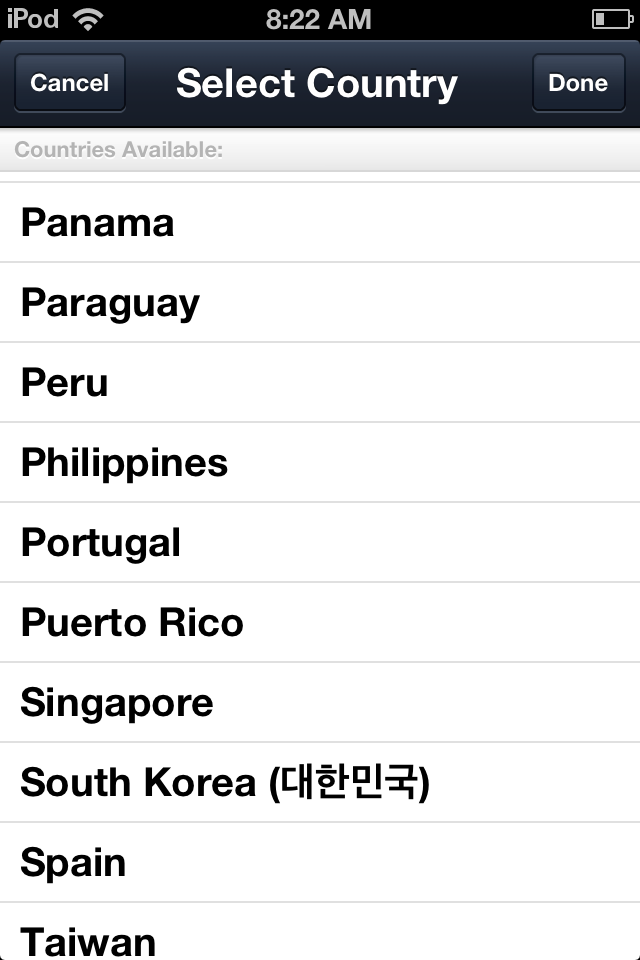
Pick your country. Most Latin American/European countries have the same list so just pick one.
- Click which country you want and then hit “Done”:

- This will take you to that country’s list of official accounts. Super Junior seems to be on all of them in one language or another. It’s mostly just a question of skimming through the countries until you find the right language. I list how to find the Chinese, Korea, and English versions below. There is no Japanese or Spanish Version.
- Now skim through the list until you see their account photo: For any country, the account photo is blue with white letters for the band name:

Their Line Icon
- Click their name and it will pop up a box that looks like the one in this picture below. Click “Add+”

Click “Add+”
- Now hit “Close”. It may warn you that it is reverting to your default geographic region. Ignore this, it just means that next time you come looking for official accounts, you may have to go get your country again.

Click “Done”
- You are now back at the “More” page. Click “Friends”:

- This will take you to your friends page (the page that uploads whenever you open “Line”) and you’ll see Super Junior is now your friend. Click their name:
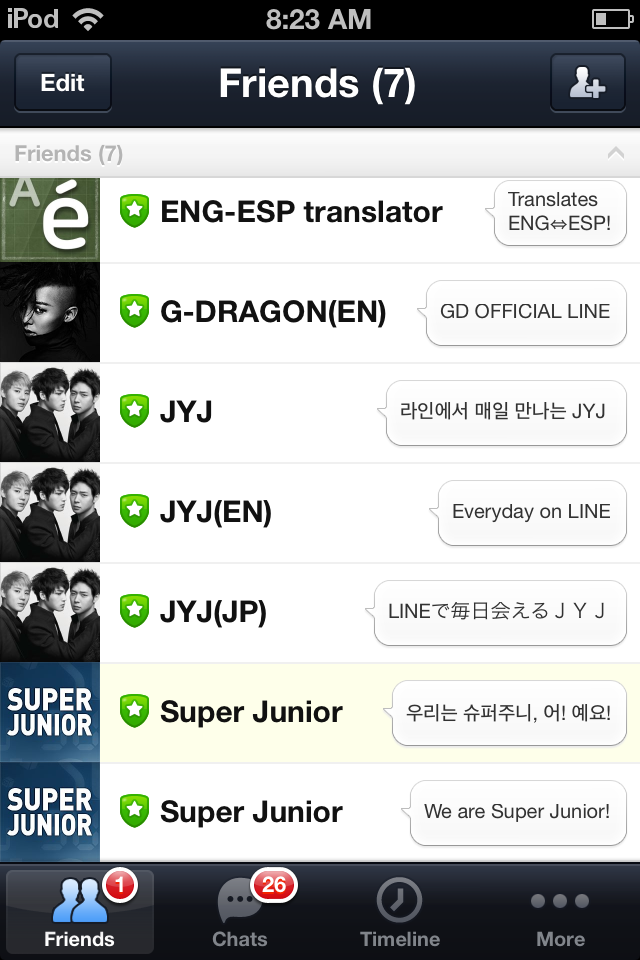
Note “Super Junior” at the bottom of my list. Click it.
- Now click “Chat”:

- Tada! You can see all the stuff they post. It takes about a day for anything to upload past their welcome message. They’ll show up as your friends on the computer version as well once it is installed, and the same process applies: go to friends, click their name, and click chat.

This is what it will look like the first day or so. Then their posts will start airing.
HOW TO FIND PARTICULAR LANGUAGES
- For the Chinese Language version
- Choose “China,” “Taiwan,” or “Hong Kong”
- Click “Done” in the top right.
- Skim through the list a ways and eventually you’ll find “Super Junior” It has the same profile pic as the rest. Click their name.
- Click “Add
- Click their name.
- Click “Add”
- For the Korean Language version
- Choose “South Korea”
- Click “Done” in the top right.
- Skim down to “Super Junior”, it has their official picture as the profile pic. Click their name.
- Click “Add”
- Click their name.
- Click “Add”
- For the English Language version
- Choose “U.S.”, “Malaysia,” “Argentina”, “Thailand”, etc.
- Click “Done” in the top right.
- So Pick your Country, click “Done” in the top right.
- Skim through until you see their name, see if it has the English letters for “We are Super Junior”. It has their official picture as the profile pic.
- Click their name.
- Click “Add”
Hope this helps answer some questions!











 Deceptively Blonde
can you post photo of the step? ><
Here’s some pictures, does this help?
Does it works for Blackberry? … i can’t find the “official accounts” option
I’ve tried it on Apple stuff and smartphones, but I haven’t tested a blackberry. However, according to the line website:
1. Tap More > Add Friends > Official to open the Official Accounts list.
2. Tap the Official Account you wish to add to your Friends list, and tap Add.
Let me know if this works please!
If you have any other questions about it’s impact on blackberries, you might check out http://line.naver.jp/help/iphone/en/serviceId/10155. If you click the little down arrow in the search box you can pick your type of device and then ask your question. It will specify the answers according to your device.
It doesn’t work on Blackberry ><
Did you try LIne’s directions for blackberry? They list them as:
1. Tap More > Add Friends > Official to open the Official Accounts list.
2. Tap the Official Account you wish to add to your Friends list, and tap Add.
This can be found at http://line.naver.jp/help/iphone/en/serviceId/10155. DId that work?