

Awww… my students brought me some #Chinese snacks for movie day in class 😜❤ #lovemystudents
Awww… my students brought me some #Chinese snacks for movie day in class 😜❤ #lovemystudents
As always, this lesson is not intended to be professional advice. This is simply lesson material for ESL students in a Managerial Economics and International Finance class. Posted here for their use or for helping other students.
There are 3 main Financial Documents you should be familiar with. Each paper is typically published once a year, so we say they are annual reports (年波).
**Please notice that all three documents only count and discuss EXPLICIT COSTS (明确的成本). These documents are working with numbers and math, so the Explicit Costs includes only the money paid out to market-suppliers. It does not include any of the Implicit Costs like time and effort that the owner loses. Therefore, the profits we see are only ACCOUNTING PROFITS (会计利润). You can find a more detailed explanation of Costs and Profits here.
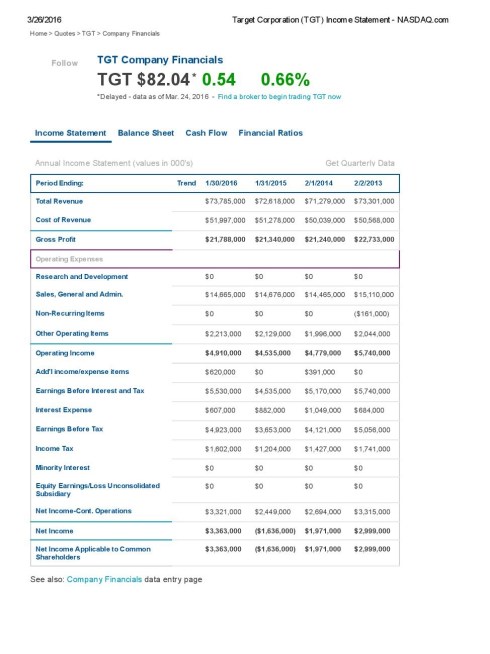
The Income Statement (损益表)~ Tells the reader very specifically (with a lot of detail):
Hostgator is a little serious about protecting your privacy. So you have three ways to purchase your package — Credit Card, E-Card, or Paypal.
If you use a Credit Card or E-Credit Card, you may have to do verification of your identity. If you don’t do this within 48 hours, they will cancel your purchase. I had to submit a copy of my driver’s license and a picture of my credit card. For the Credit Card, they asked me to hide the first 12 numbers of my card. I also went ahead and blacked out the DOB, Middle Name, and some other private details on my Driver’s License.

*To hide information on a photo – 1) Save the image on your computer. 2) Right Click on the photo and choose “Edit.” It should open the photo up in a program where you can draw on it. 3) Use a big brush or something to draw lines through the information you want hidden. 4) Save the picture.
If you have to do this verification process, they’ll send you an email asking you to do the requirement. They’ll tell you what to send, but not WHERE.
Go to your Billing Account (your password will have been in an email with the subject ‘billing’ along with a link to your Billing Account).
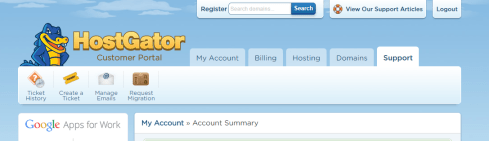
Look on the top bar for “SUPPORT.”
Once there, go to “TICKET HISTORY.” You’ll see a support ticket is already open with the subject “Hostgator – Verification Requested.”
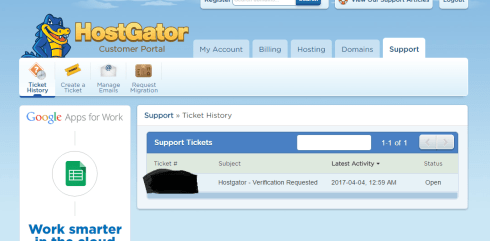
Click on the Ticket ID#.
It’ll open up a page where you see basically the same message as was in your email. But at the bottom of the page you can “Reply” with a message and attach your documents.
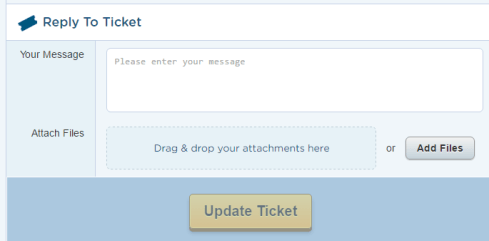
Once you add your files, click “UPDATE TICKET”
Then you just have to wait for them to verify everything.
You can get a discount on your service if you purchase HostGator with the PCMAG discount code via this link. The basic service (I did a Hatchling program) is around $3-5 per month with the discount and depending on how many months you purchase.
Additional Costs & Available Services:
Hostgator is a little serious about protecting your privacy. So you have three ways to purchase your package — Credit Card, E-Card, or Paypal. For the cards, your billing address and phone number must be the same as you have on your Card Statement each month.
You may be asked to verify your card or payment information afterwards. You must do this in 48 hours. For information on how to do that click here.
On HostGator, you have two websites you’ll be operating with. As soon as you finish your purchase, you’re going to get two different emails from them.
KEEP BOTH OF THESE EMAILS!
I recommend logging into both websites and changing your password to something more memorable. But you won’t be able to do anything with the billing account until verification is completed.

One of my favorite sights in the spring and fall. All the students bring out their blankets and air them out. A little dorm ‘freshening up’. So fun to see – all the different colirs and styles on the bushes alongside the roads. ❤

“She was free in her wildness. She was a wanderess, a drop of free water. She belonged to no man and to no city” ~ Roman Payne




Language Translation






 Deceptively Blonde